Platform
One system, from assignment to published.
Everything your team needs to plan, write, review, and ship content, without losing track of any of it along the way.
Built for the work you actually do
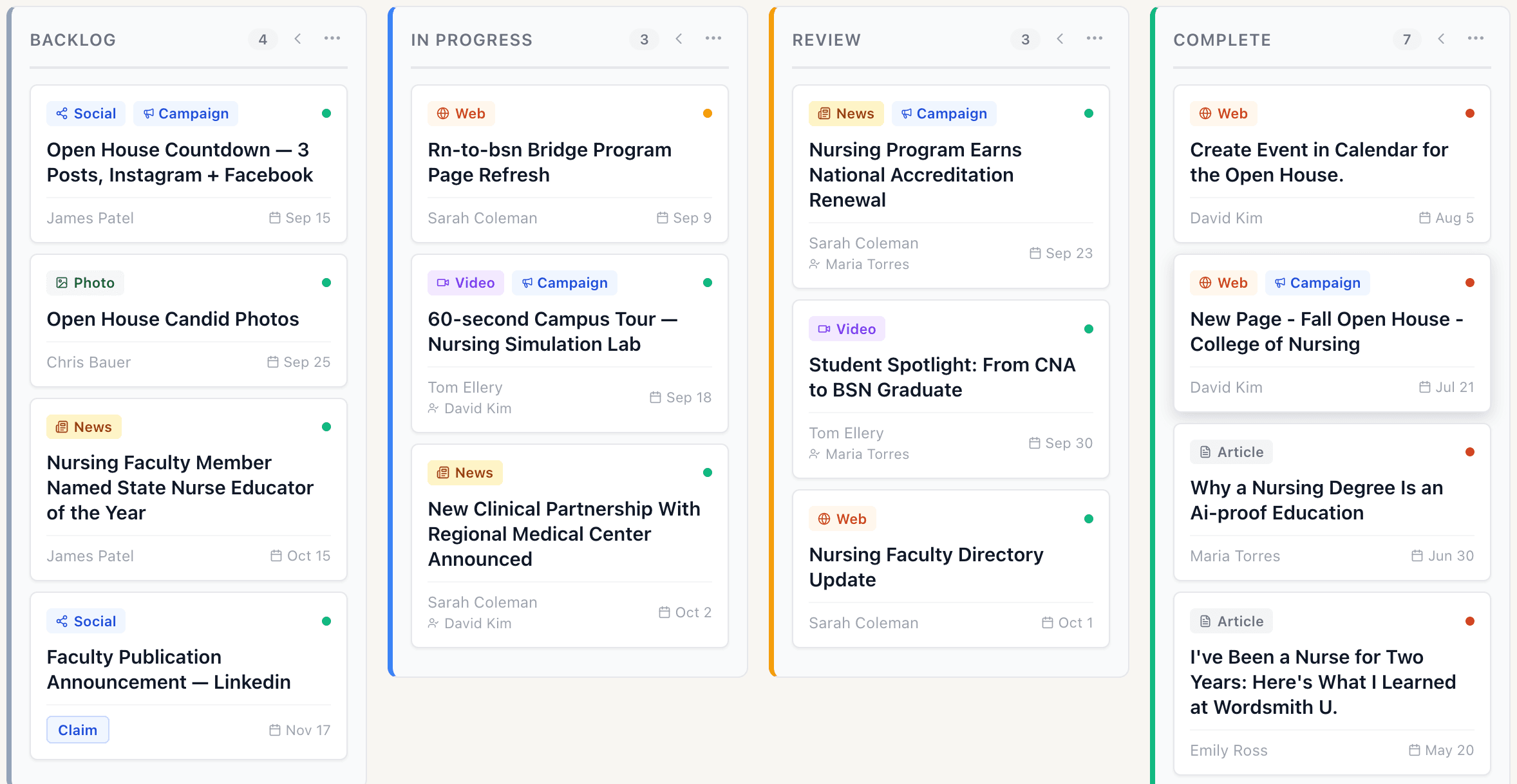
News, video, web pages and social each need their own kind of card.
News, web pages, video, and social each get their own card type, with the fields and lifecycle that actually fit the format, not one generic ticket stretched to cover everything.
Every card, backed by a brief
Know what a page needs before you write it.
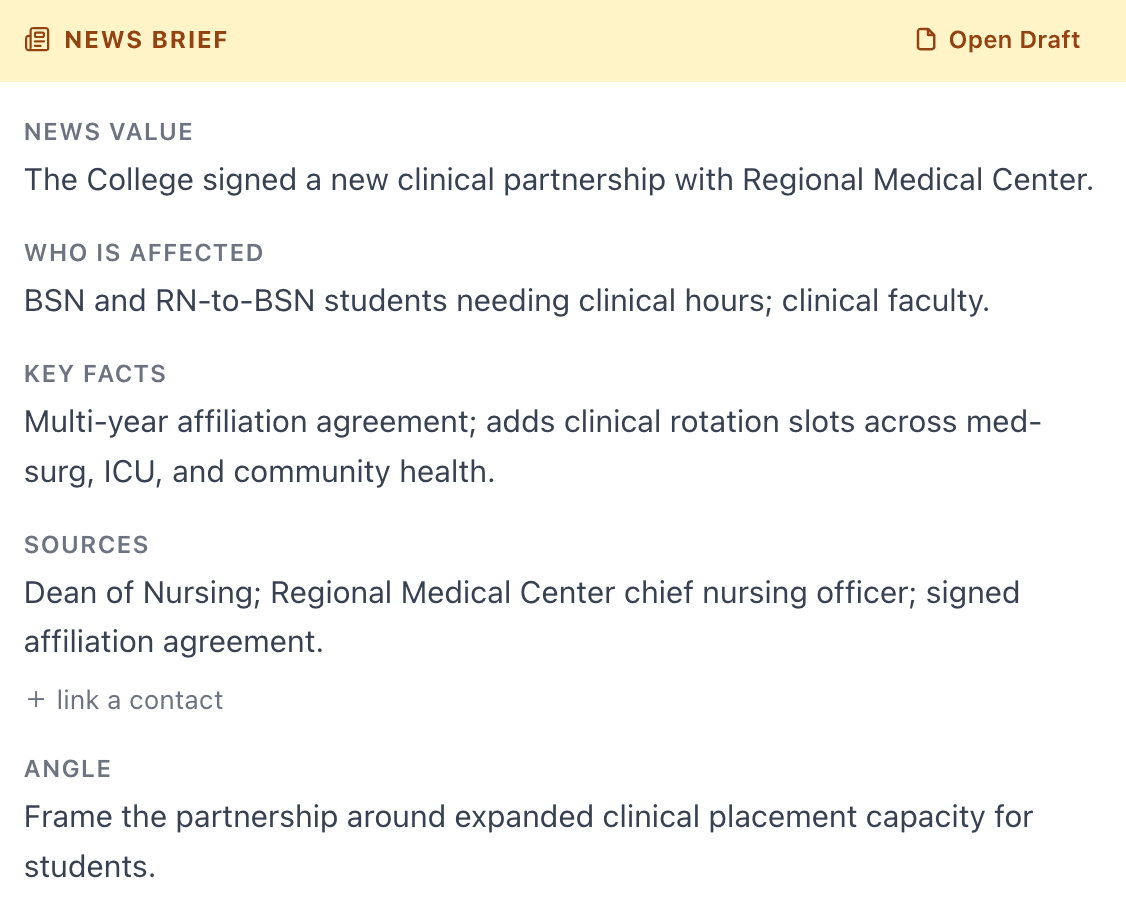
Every card carries a structured brief (the checks it needs to pass, the gaps it needs to close) so a writer isn't guessing what "good" looks like for this piece.
News Brief
Writing and review
The comment lives in the document. The document lives in the card. The card lives in the board.
Everything you need is already where the work is. Comments and suggestions stay attached to the piece itself, so nothing about how it came together lives in a separate app you have to go check.
Open any card
The whole story, one click away.
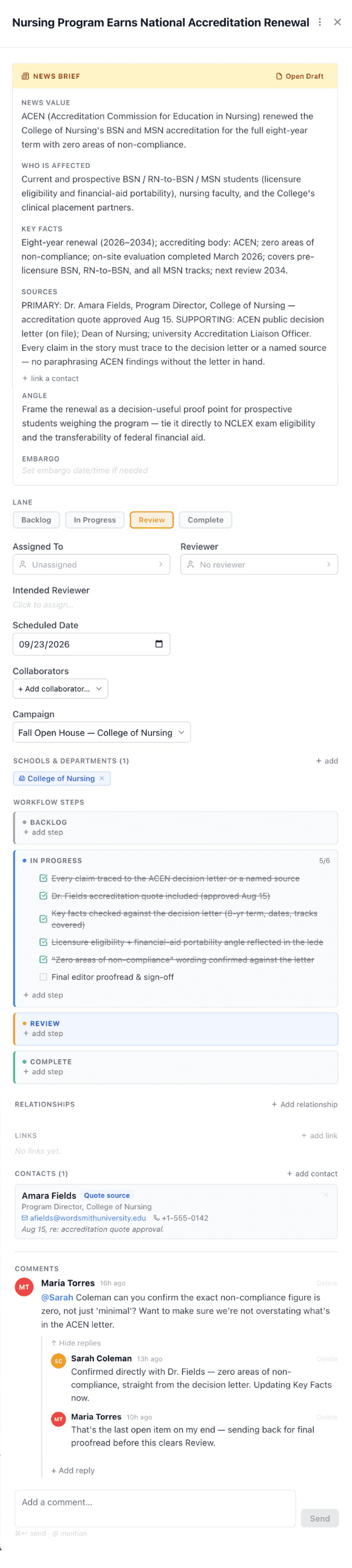
Every card opens into its full brief, so nobody has to ask what the story actually is.
Open any card
The whole story, one click away.
Every card opens into its full brief, so nobody has to ask what the story actually is.
Track real progress
Know exactly how close you are to finished, down to the last detail.
Workflow steps break the brief into checkable items (five confirmed, one still open) so status is never a guess.
Review happens here
The back-and-forth stays on the card.
Editor and writer work it out right where the piece lives, with threaded replies on the card itself, where anyone can find them later.
AEO Intelligence
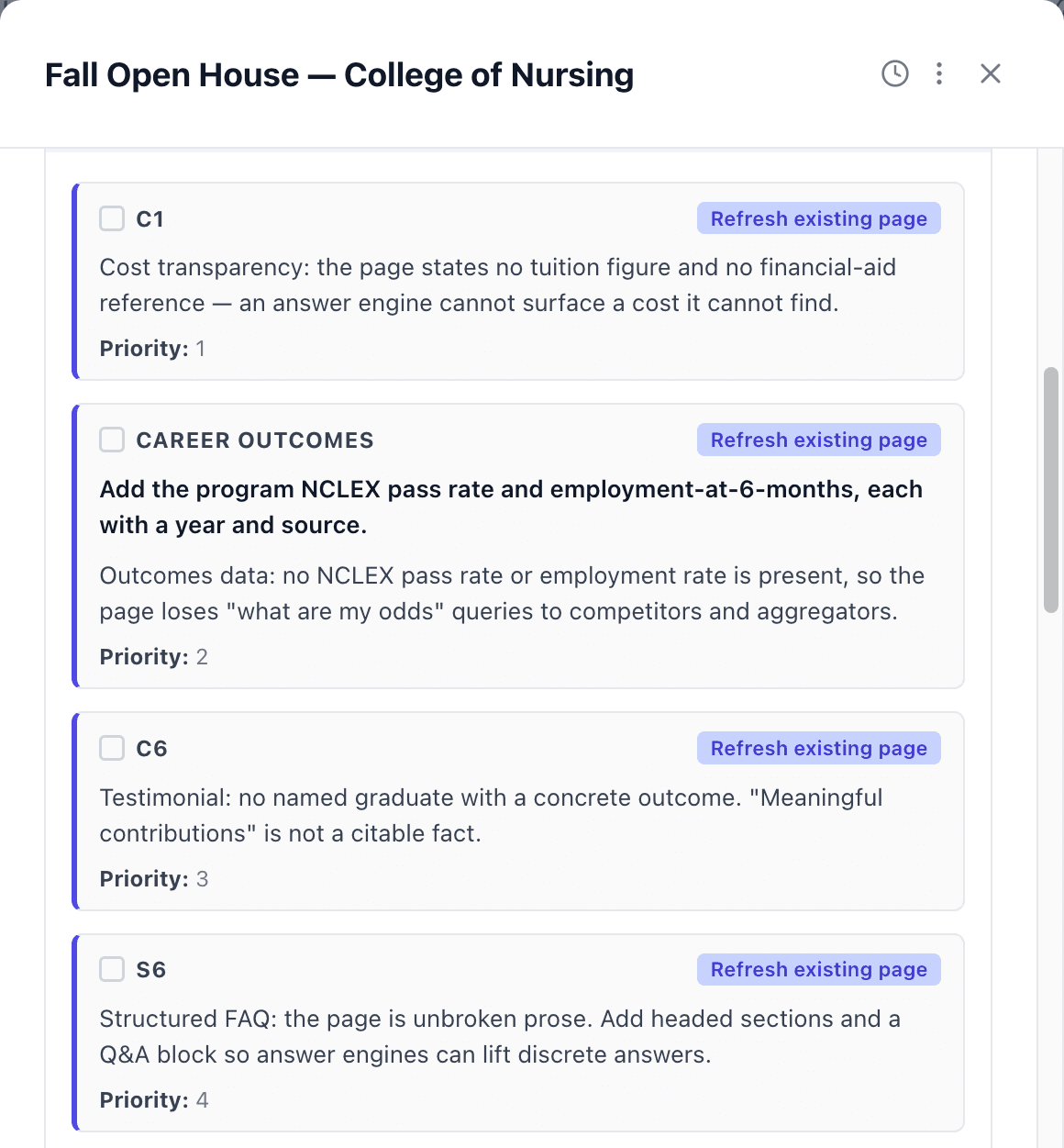
How do you see what AI search says about your university's programs?
Contoro scores every page against a 13-point AI-citation rubric, then checks each week whether AI search actually cites it, using the questions a prospective student would ask. Fix what is flagged and track whether the citations follow.
Campaigns
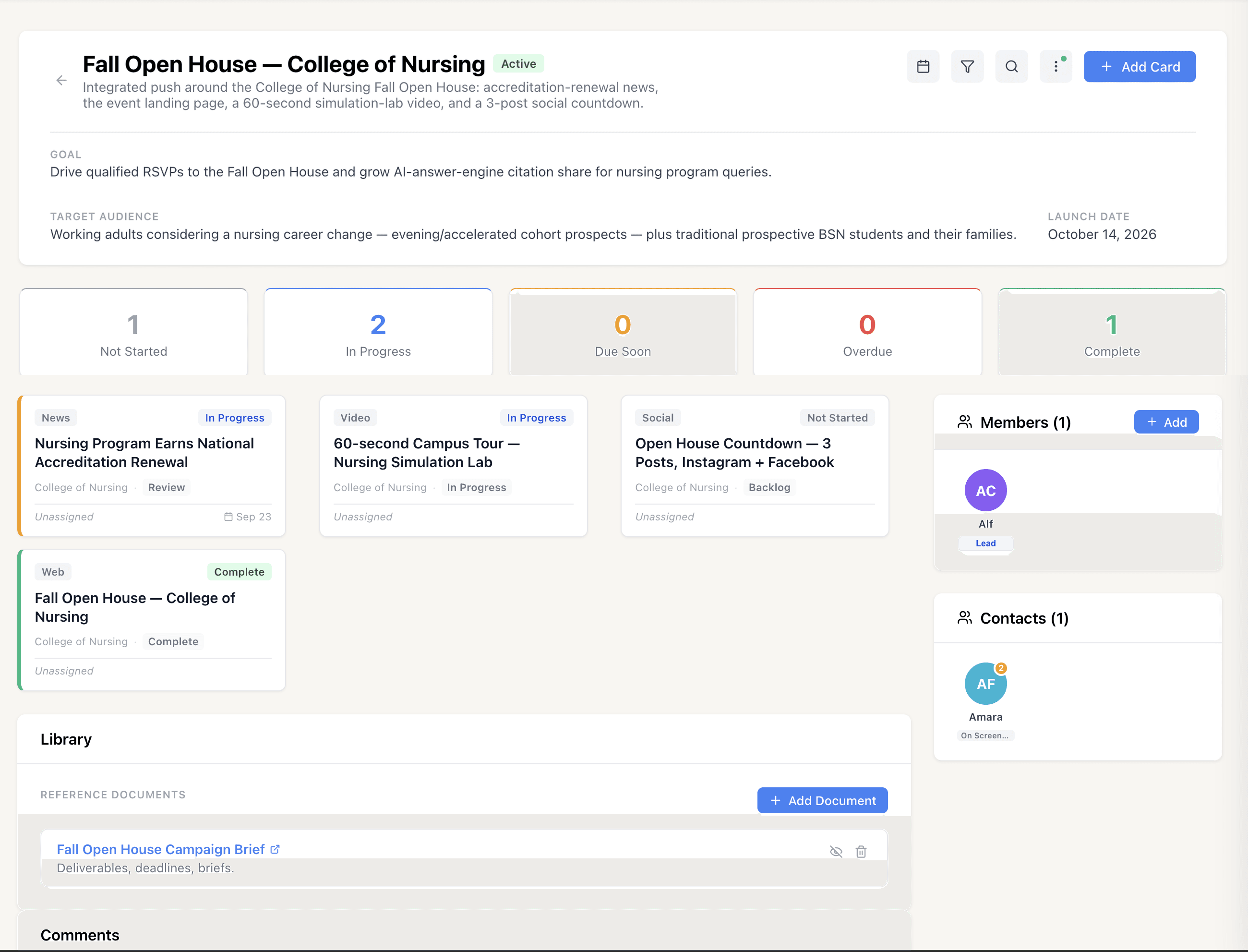
A campaign is fifteen pieces of work, all connected.
Track every deliverable in a campaign (story, page, video, social) from assignment to publish, linked to the people and boards behind it. Nothing runs off to the side in a spreadsheet.
People and pages in one system
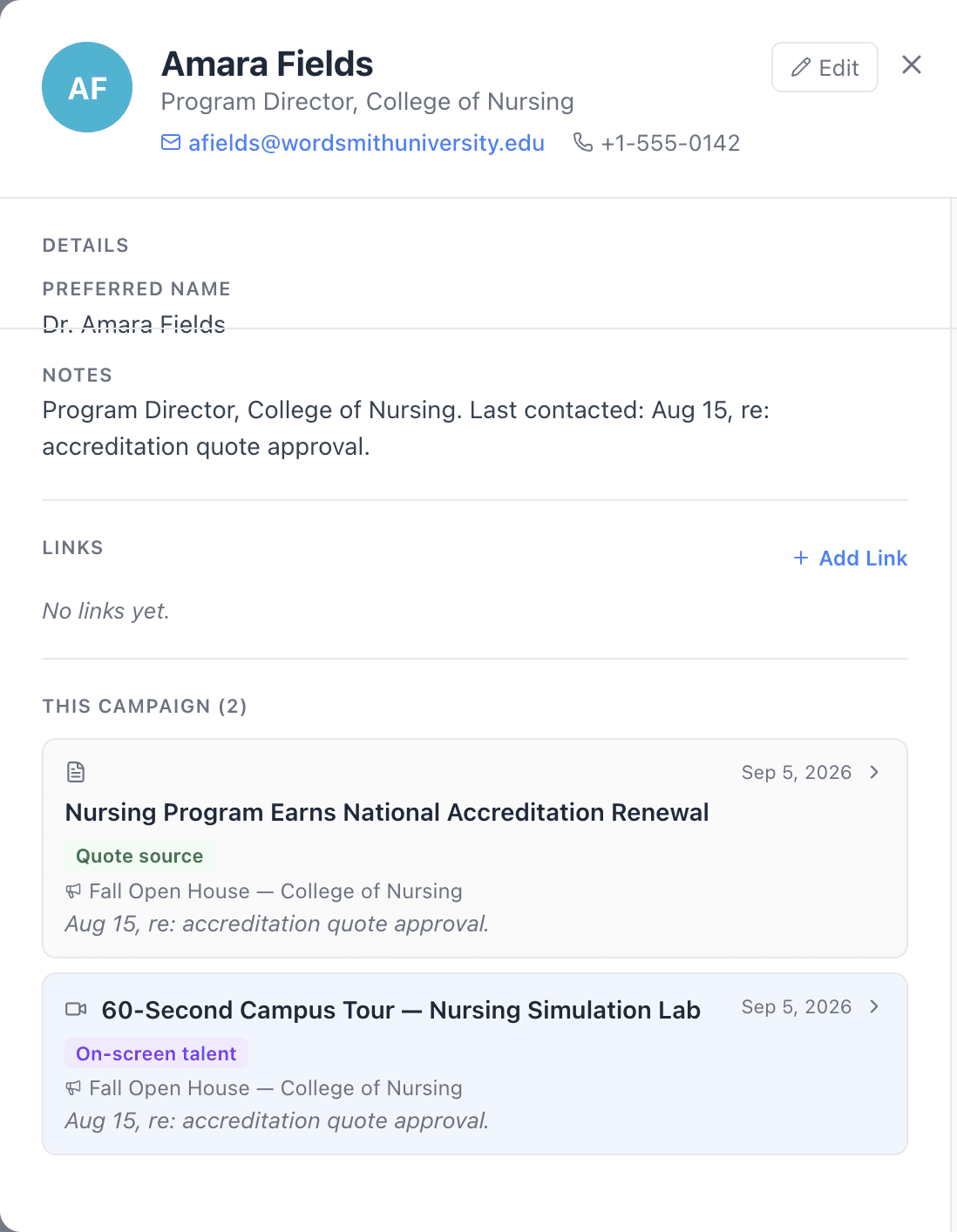
The people behind the story, right on the card.
Contacts live inside the same system as the work itself, with no separate spreadsheet to keep in sync with who you're actually talking to.
See the whole picture
Know what's covered and what's quietly not.
Track coverage across departments and programs in one place, without pulling together a manual report to find the gaps.
See Contoro with your own team's work.
Request a demo and we will set up a workspace for you to try.